
Need Installation?
Book a licensed install
Book a licensed EV charger install

Battery backup capacity in kilowatt-hours (kWh) is the total stored energy your battery holds, and it directly determines how long your home stays powered during an outage. The simple formula is: Runtime (hours) ≈ usable kWh ÷ average load (kW). A 10 kWh usable battery powering a 1 kW essential load runs for roughly 10 hours. Two rules of thumb get you started fast:
The U.S. Energy Information Administration reports that the average American home uses roughly 899 kWh per month, which works out to about 29–30 kWh per day. That number is your ceiling for whole-home sizing, not your floor for essentials-only. Chargeprodirect stocks battery modules across this range, including the LG 16H Prime Battery, a 16 kWh, 400V high-voltage unit well suited to essentials and partial-home scenarios.
These two units trip up almost every homeowner shopping for backup power. Getting them straight takes about two minutes and saves a lot of frustration.
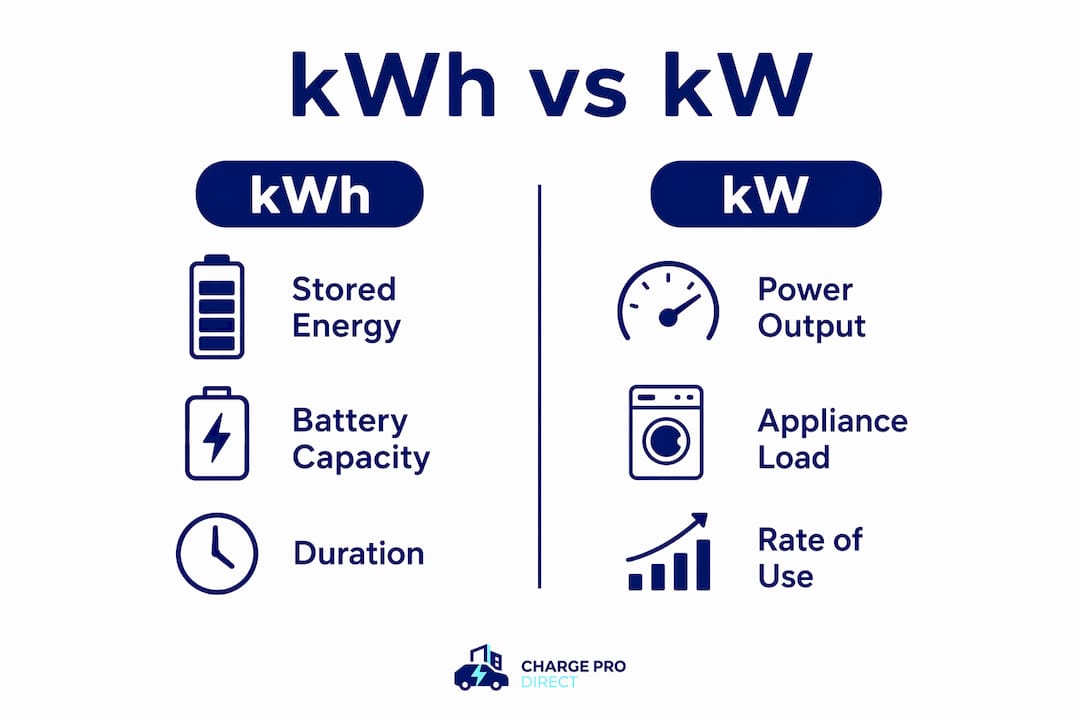
kWh (kilowatt-hours) measures stored energy. Think of it as the size of your fuel tank. One kWh equals 1 kW of power drawn continuously for one hour. A battery rated at 13.5 kWh holds 13,500 watt-hours of energy.
kW (kilowatts) measures power, the rate at which energy flows. That is the size of the engine, not the tank. A battery’s kW rating tells you how many appliances it can run simultaneously, right now.
You need both numbers to know what a battery will actually do for you. A large tank with a small engine still cannot run your air conditioner. The table below makes the contrast concrete.
| Spec | Unit | What it tells you | Example |
|---|---|---|---|
| Capacity | kWh | How long the battery lasts | 13.5 kWh battery |
| Power output | kW | What it can run at once | 5 kW continuous output |
| Runtime estimate | Hours | kWh ÷ kW load | 13.5 ÷ 1.5 kW = 9 hrs |
| Appliance draw | Watts or kW | How much power one device uses | Refrigerator ≈ 150 W |
A quick appliance example: your refrigerator draws about 150 W (0.15 kW). Running it alone for 10 hours uses 1.5 kWh. Add a few LED lights (50 W total) and a router (20 W), and your combined load is about 0.22 kW, which stretches a 10 kWh usable battery to roughly 45 hours for those loads alone.
Key points to remember:
The runtime formula is straightforward once you account for usable capacity rather than the nameplate number.
Usable kWh = Nameplate kWh × Depth of Discharge (DoD) × Round-Trip Efficiency
A battery rated at 15 kWh with a 90% DoD and 95% round-trip efficiency gives you roughly 12.8 kWh of usable energy. Plug that into the runtime formula and you get real-world hours, not marketing hours.
You have a 15 kWh nameplate battery with 90% DoD and 95% efficiency. Your essential loads are:
Usable kWh = 15 × 0.90 × 0.95 = 12.8 kWh Runtime = 12.8 ÷ 0.35 = roughly 36 hours
That covers a typical overnight-to-next-day outage with room to spare. You can look up exact appliance wattages using the DOE appliance energy calculator or a wattage reference tool to verify your load numbers before sizing.
Your utility bill is the fastest way to anchor your sizing math in reality. Every U.S. residential bill shows a monthly kWh usage figure, usually labeled “kWh used,” “energy consumed,” or similar. Divide that number by the days in the billing period and you have your daily average.
Example: Your bill shows 870 kWh for a 30-day period. 870 ÷ 30 = 29 kWh per day
That aligns closely with the U.S. national average of roughly 899 kWh per month. Your number may be higher in summer (air conditioning) or lower in mild months.
Sizing tip: Pull three to four bills spanning different seasons and average the daily kWh figures. A single summer bill in Texas or Florida can be 50–80% higher than a spring bill, so one month gives a skewed picture.
For whole-home backup sizing, use your highest-month daily average. For essentials-only sizing, your actual critical-load total (calculated from the step above) matters more than the bill average, since you are not trying to replace your entire daily usage.
Sizing a home battery backup comes down to five ordered decisions. Work through them in sequence and you will not overbuy or undersize.
Define your backup goal. Are you protecting essentials only (refrigerator, lights, medical devices, router) or targeting whole-home coverage? This single choice shapes everything else. Read more about whole-home vs. essential loads before committing.
List your critical circuits. Walk your panel and identify which breakers feed the loads you cannot lose. A critical load selection guide helps you prioritize if you are unsure.
Estimate wattage and runtime for each load. Multiply watts by hours per day to get watt-hours (Wh). Add all loads together for your daily Wh total.
Apply DoD and efficiency adjustments. Divide your daily Wh total by DoD, then by round-trip efficiency, to get the minimum usable kWh you need. Add 20–25% margin for aging and unexpected loads.
Confirm your inverter kW rating. The battery’s continuous kW output must cover your peak simultaneous load, not just the kWh total.
| Appliance | Watts | Hours/day | Wh/day |
|---|---|---|---|
| Refrigerator | 150 | 8 | — |
| LED lights (10) | 100 | 6 | — |
| Wi-Fi router | 20 | 24 | — |
| Phone/laptop charging | 100 | 4 | 400 |
| Small fan | 50 | 8 | 400 |
| Total | 3 kWh/day |
At 90% DoD and 95% efficiency, you need roughly 3.6 kWh of nameplate capacity per day of backup. A 10 kWh battery covers about 2.5 days; a 15 kWh battery covers close to 4 days for this load profile.
Pro Tip: Size your system to usable kWh, not the nameplate number on the box. A battery advertised at 10 kWh may deliver only 8–9 kWh in practice. Plan for what you can actually use, and add a buffer for the battery’s performance after several years of cycling.
Matching a battery size to a real scenario is the fastest way to check whether a product fits your needs. The table below maps typical nominal capacities to realistic usable energy and likely runtimes for two common load profiles.
| Nominal kWh | Usable kWh (est.) | Essentials-only runtime | Partial-home runtime |
|---|---|---|---|
| 5 kWh | 4 kWh | 12–18 hrs | 4–6 hrs |
| 10 kWh | 9 kWh | 24–36 hrs | 8–12 hrs |
| 13.5 kWh | 12 kWh | 30–48 hrs | 10–16 hrs |
| 16 kWh | 13.5 kWh | 36 hrs | 12–18 hrs |
| 20 kWh | 17–18.5 kWh | 48–72 hrs | 16–24 hrs |
| 30+ kWh | 26–28 kWh | 3–5 days | 24–36 hrs |
Essentials-only assumes ~0.35 kW average draw. Partial-home assumes ~1.0–1.2 kW average draw.
A few practical scenarios:
One important caveat: the kWh figures above assume the inverter’s kW rating is not the bottleneck. If your battery’s continuous output is 3.8 kW and you try to run a 4 kW load, the system will limit or shut down regardless of how much energy remains stored.
You can have plenty of stored energy and still not be able to run what you need. That is the kW problem, and it catches homeowners off guard more often than any other spec.
Every battery system carries two power ratings: continuous kW (what it sustains indefinitely) and peak or surge kW (what it can deliver for a few seconds to start a motor). Surge ratings typically last 5–10 seconds, just long enough to spin up a compressor or pump.
A real-world example: a battery with 13.5 kWh of stored energy but only 3.8 kW continuous output cannot start a 3-ton central air conditioner, which may draw 5–6 kW at startup. The energy is there; the power delivery is not. The AC will not start, or the system will trip a protection circuit.
Before you buy, verify these four specs on the data sheet:
If you plan to run HVAC, a well pump, or any motor-driven appliance during an outage, the surge kW rating is the number that decides whether it works. For households adding EV charging to the mix, smart load management can help balance battery output across simultaneous high-draw loads.
The nameplate kWh on a battery is a best-case number measured under controlled lab conditions. Several real-world factors chip away at what you can actually use.
Sizing buffer: Add at least 20% to your calculated usable kWh requirement to account for aging and efficiency losses over the warranty period. A system that barely meets your needs on day one may fall short by year five.
For a deeper look at how battery chemistry affects temperature performance and long-term capacity, the Chargeprodirect guide on home energy storage types covers LFP, NMC, and lead-acid options side by side.
Pro Tip: When comparing batteries, ask for the warranted end-of-life capacity, not just the day-one nameplate figure. A battery that retains 80% capacity after 6,000 cycles is a better long-term value than one that retains 60% after 3,000 cycles, even if the nameplate numbers look identical.
The EIA’s reported U.S. average of roughly 899 kWh per month translates to about 29–30 kWh per day. That figure varies significantly by home size, climate, and occupancy.
| Household profile | Monthly kWh (est.) | Daily kWh (est.) |
|---|---|---|
| Small apartment | 400 kWh | 13–18 kWh |
| Medium home | 700 kWh | 30 kWh |
| Large home | 1,100 kWh | 40 kWh |
| U.S. national average | ~899 kWh | ~29–30 kWh |
Use this formula for a whole-home backup target:
Nominal battery size = (Daily kWh × Days of autonomy) ÷ (DoD × Round-trip efficiency)
Example for a medium home (28 kWh/day), 1 day of autonomy, 90% DoD, 95% efficiency: 28 ÷ (0.90 × 0.95) = 28 ÷ 0.855 = 32.7 kWh nominal
That means you need roughly 33 kWh of nameplate capacity for one full day of whole-home backup. Two days of autonomy doubles that to about 65 kWh, which is why whole-home backup for average U.S. homes typically requires multiple battery modules.
Assumptions used in these calculations:
For a whole-home solar battery sizing scenario with solar recharge factored in, the required nominal capacity drops considerably because the panels replenish the battery during daylight hours.
Home battery backup systems are subject to several safety standards that affect how they are installed, where they can be placed, and how they behave during a fault.
UL 9540 is the primary U.S. standard for energy storage systems, covering fire and safety testing for the complete system including battery, inverter, and controls. Products listed to UL 9540 have passed testing for thermal runaway containment, which is the main fire risk with lithium batteries.
NFPA 855 sets installation requirements for stationary energy storage systems in the U.S., including separation distances, ventilation, and maximum energy density per room. Many jurisdictions require compliance with NFPA 855 for permitted installations.
NEC Article 706 (National Electrical Code) governs the electrical installation of energy storage systems, covering wiring, disconnects, and interconnection with the home’s electrical panel.
From a practical standpoint, a few safety rules apply regardless of which battery you choose:
The DIY installation guide from Chargeprodirect walks through the safety checkpoints and permit considerations in plain language if you want a practical overview before talking to an installer.
Sizing a home battery backup correctly means working from usable kWh and matching the kW output to your actual loads, not just picking the biggest nameplate number you can afford.
| Point | Details |
|---|---|
| Runtime formula | Divide usable kWh by your average load in kW to estimate hours of backup. |
| Essentials vs. whole-home | Essentials-only backup needs roughly 10–20 kWh; whole-home coverage often requires 30–60 kWh. |
| Usable vs. nameplate kWh | Apply DoD and round-trip efficiency to nameplate kWh to find what you can actually use. |
| kW rating matters too | Continuous and surge kW determine what appliances can run, not just how long the battery lasts. |
| Chargeprodirect battery options | Chargeprodirect stocks options like the 16 kWh LG 16H Prime Battery for essentials and partial-home scenarios. |
Most homeowners walk into battery shopping focused on the biggest kWh number they can find at a given price. That instinct is understandable, but it leads to two common mistakes: buying more than you need for essentials-only goals, or buying a system that looks sufficient on paper but falls short during an actual outage because the usable kWh after DoD and efficiency is lower than expected.
The more useful question is not “how many kWh does this battery have?” but “how many usable kWh will this battery deliver at the end of its warranty period, and can its kW output run my critical loads simultaneously?” Those two questions filter out a lot of products that look attractive in a spec table.
There is also a tendency to skip the load audit entirely and just pick a product based on a rule of thumb. Rules of thumb are useful starting points, but a household with a medical device, a sump pump, and a home office has a very different critical-load profile than one with just a refrigerator and lights. Load-based sizing consistently produces better outcomes than chart-based sizing, and it takes less than an hour with a notepad and your utility bill.
Chargeprodirect stocks battery options across a range of capacities so you can match a product to your actual load profile, not a generic chart. Whether you are protecting a handful of critical circuits or planning a larger whole-home system, start with your bill data and your backup goals.
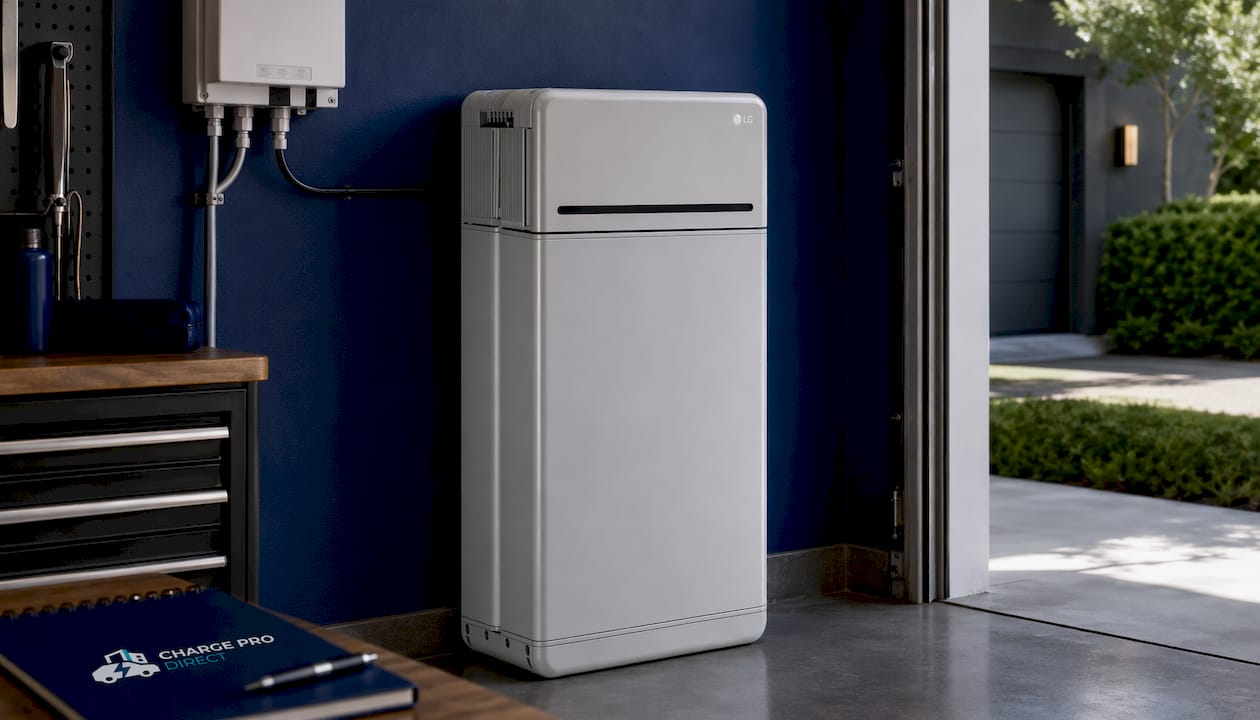
The LG 16H Prime Battery is a strong fit for homeowners targeting 24–48 hours of essentials coverage or partial-home backup. At 16 kWh and 400V high-voltage architecture, it pairs cleanly with compatible inverters and scales with additional modules if your needs grow. Browse the full home battery backup collection to compare options, or use our Build Your System guide and the sizing steps above to narrow your choice. Flexible payment plans are available at checkout.
A whole-home backup for the average U.S. home requires roughly 30–60 kWh of usable capacity for one day of coverage, based on the national average of about 29–30 kWh of daily use. Essentials-only backup typically needs 10–20 kWh.
At 90% DoD and 95% efficiency, a 20 kWh battery delivers roughly 17–18.5 kWh of usable energy. Running essential loads at about 0.35 kW, that covers approximately 48–72 hours; at a partial-home draw of 1.0–1.2 kW, expect 16–24 hours.
A 30 kWh battery provides roughly 26–28 kWh of usable energy after typical DoD and efficiency adjustments. For essentials-only loads, that stretches to 3–5 days; for partial-home use around 1.0–1.2 kW average draw, plan on 24–36 hours.
kWh is stored energy and tells you how long the battery can run; kW is the power output rate and tells you which appliances it can run at the same time. You need both numbers: a high kWh with a low kW output may not start motors or HVAC even if the energy is there.
List your critical loads in watts, multiply each by daily hours of use to get watt-hours, total them up, then divide by your battery’s DoD and round-trip efficiency to find the minimum usable kWh you need. Add a 20–25% margin for aging and unexpected loads, then match that figure to a battery’s usable kWh spec, not its nameplate rating.